SitePeek RU Install
Extension for Chrome and Yandex Browser

SEO audit, rankings and SERP analysis — right in Google and Yandex

SitePeek shows right on the results page whether you can reach the top 10, where your site ranks and who is above you. On your own page it shows what to fix, what your text is missing, and builds a copywriter brief.

  • One-minute setup
  • No sign-up
  • Your data stays in your browser
google.com/search?q=ремонт стиральных машин в коломне
Can you reach the top 10?
  • 0–100chance to reach the top 10 for any query
  • up to 50positions of your site and competitors
  • 48page checks with ready-made fixes
  • top 10real pages behind every brief and content gap

On the results page

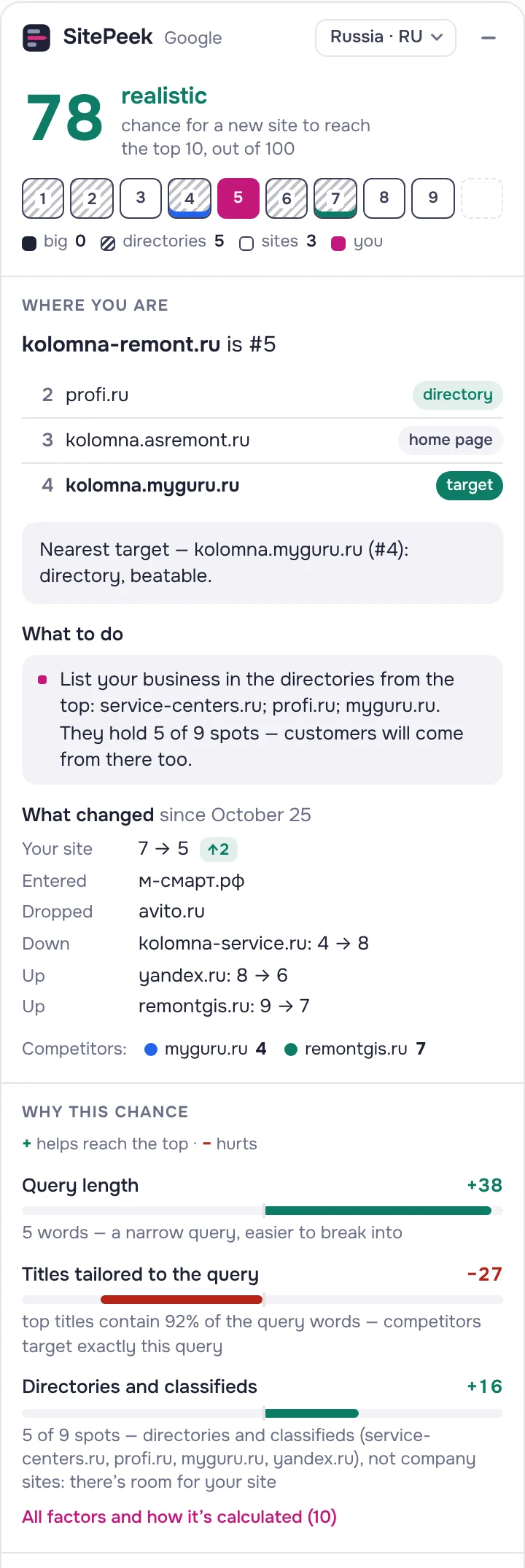
Can you reach the top 10?

A 0–100 score for every query. SitePeek looks at who already holds the top and explains every factor: what hurts and what helps.

  • Big brands, directories and regular sites in the top
  • Labels on every result: page type, query in title, days in the top
  • Your position, who is above and whom you can beat
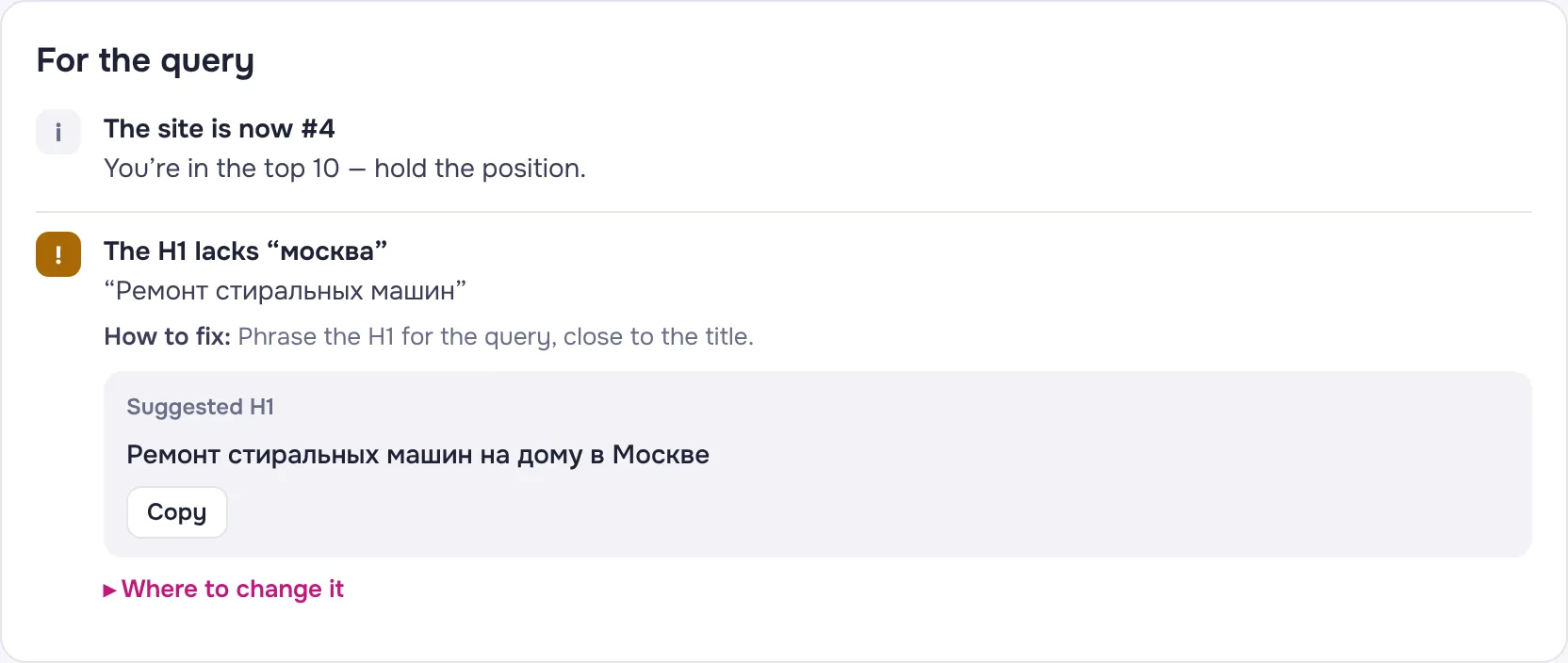
  • Concrete tips: missing title words, whether you need a dedicated page
Can you reach the top 10?

Report

Rankings, trends and quick wins

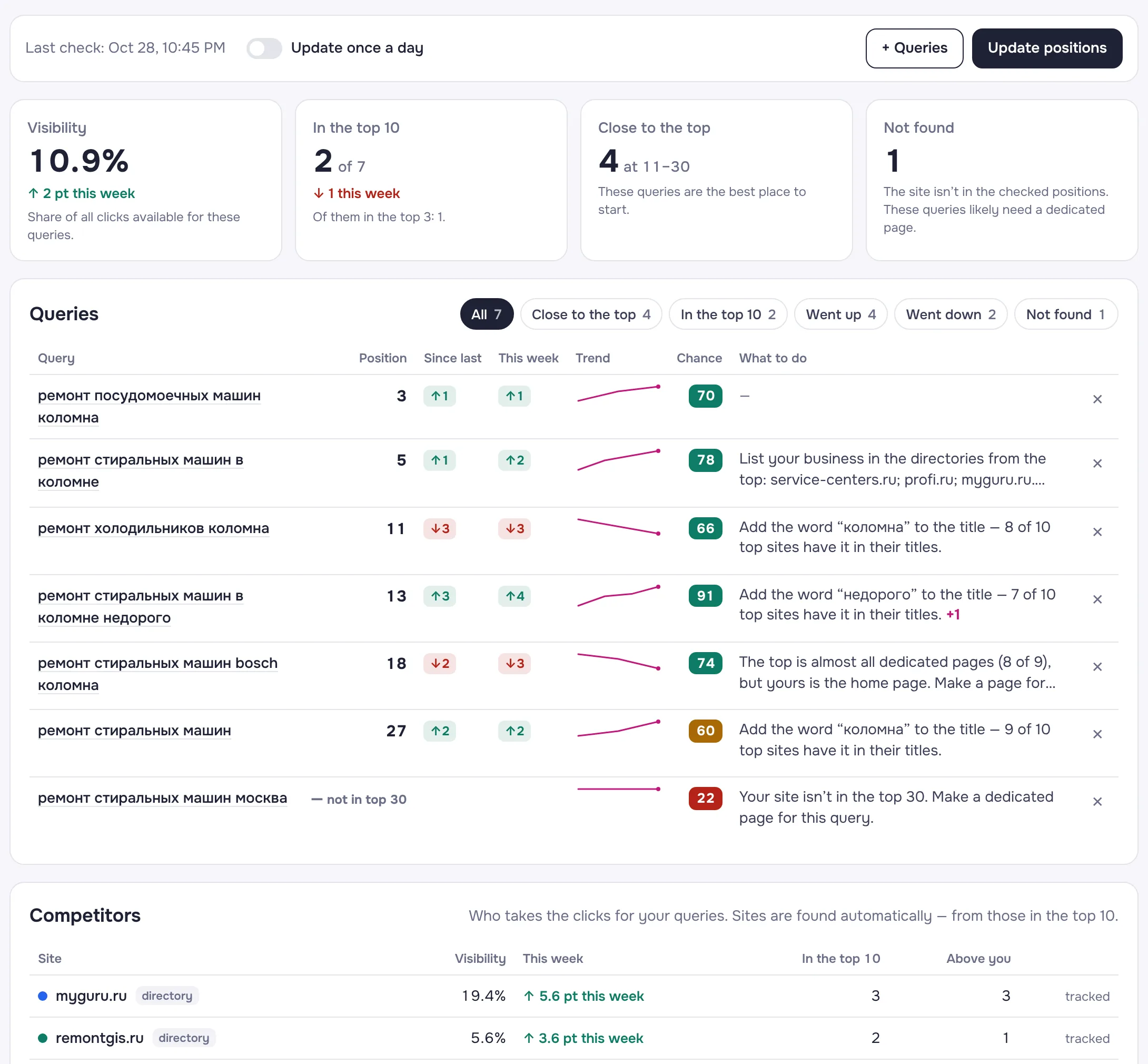
All your queries in one place: where you rank, what rose or fell this week, and which queries to start with.

  • Visibility — your share of available clicks
  • “Close to the top”: queries at 11–30 with a high chance
  • Competitors taking your clicks
  • Daily updates and CSV export
Rankings, trends and quick wins

On your site

Page audit in one click

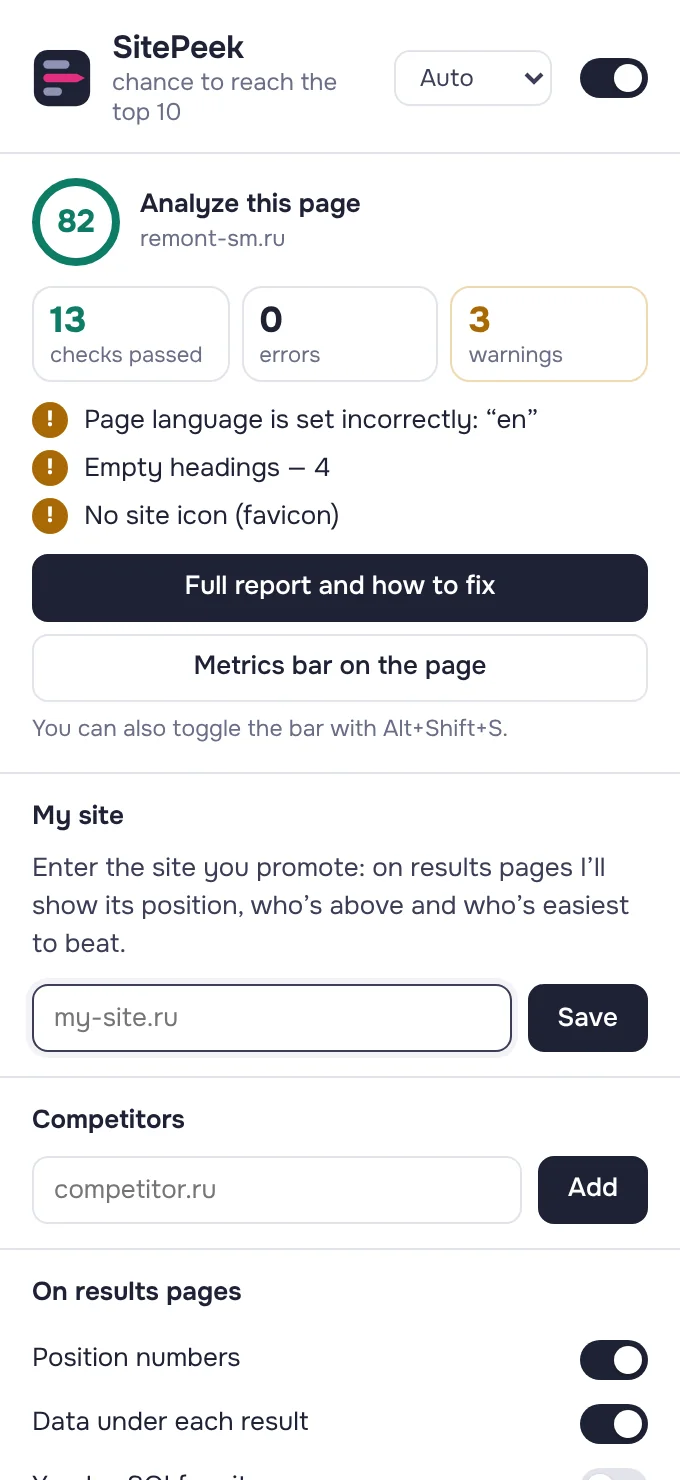
Open your page and click the icon. A score, the main issues and a full report — with ready-made text or code for each fix and where to change it in your CMS.

  • Title, description, H1–H6, canonical, structured data, Open Graph
  • Status code, robots.txt and sitemap, X-Robots-Tag, server speed, page weight
  • Keywords, broken links, heading structure, images without alt
  • Instructions for Tilda, WordPress, 1C-Bitrix and Wix
Page audit in one click

Compare with the top

What your text is missing

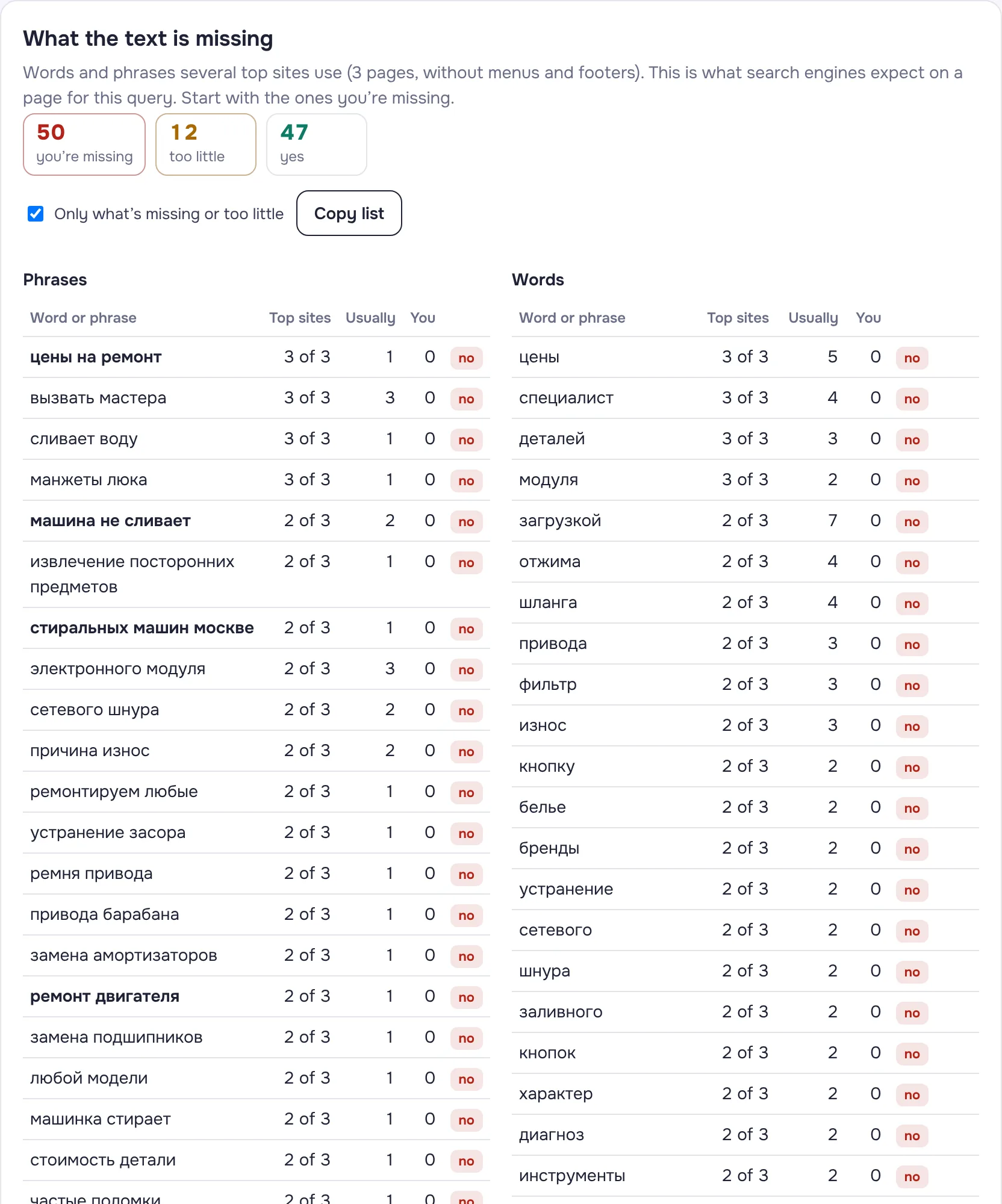
SitePeek opens the top pages and finds words and phrases several competitors use that you lack or barely use.

  • Main text only — no menus, footers or forms
  • How often the top uses each word vs. you
  • You vs. the top 10: text length, subheadings, images, markup
What your text is missing

For your copywriter

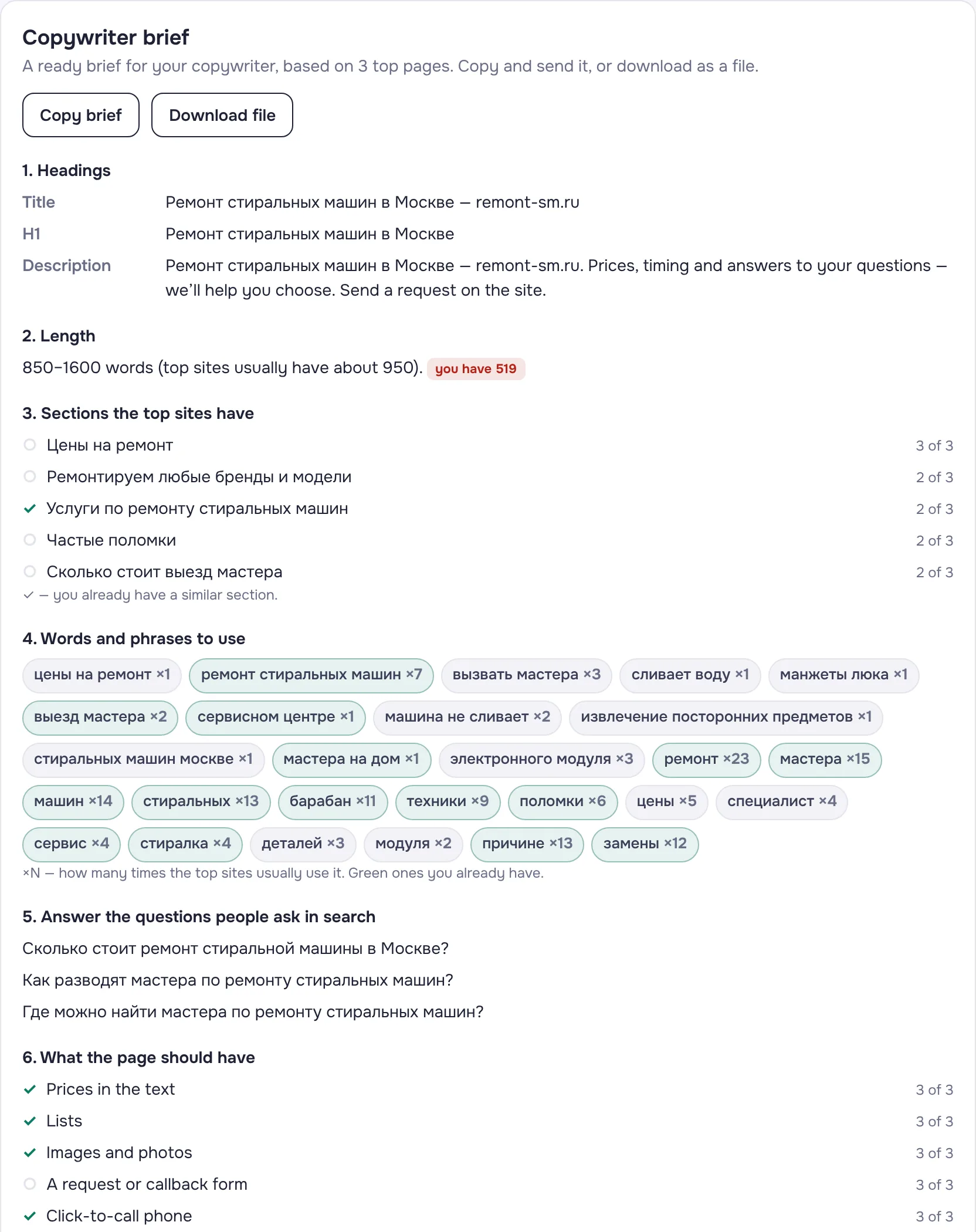
A brief from the top pages in a minute

A ready brief: titles, length, sections, must-use words and questions people ask in search. Copy and send it — or download a PDF report.

  • Sections the top sites have — and whether you have them
  • Words and phrases with how often to use them
  • What the page needs: prices, tables, FAQ, a form
A brief from the top pages in a minute

Get started

  1. Install the extension

    From Chrome Web Store in one click. Yandex Browser installs extensions from there too.

  2. Open search results

    Search anything on Google or Yandex — position numbers and the chance panel appear on their own. Add your site to see where it ranks.

  3. Click the icon on your site

    Get a page audit, comparison with the top, content gaps and a copywriter brief.

Your data stays with you

Everything is computed in your browser. SitePeek does not collect or send your queries, sites or history to us or anyone else. No sign-up.

Privacy policy →

FAQ

Which browsers does it work in?

Chrome and Yandex Browser. Install it from Chrome Web Store.

Where do rankings come from?

From the results you see yourself — in your region and language. No paid APIs and no servers of ours are involved. You can switch the search region right from the extension.

Is the 0–100 chance a guarantee?

No, it’s a guide. The score is based on who already holds the top: big brands and marketplaces, directories, how closely titles match the query, ads and AI answers. Every factor is shown with an explanation.

Will the search engine block me for checking rankings?

The extension opens regular results pages with pauses, like a person would. If the search engine shows a captcha, the check stops and tells you.

Do I need an account?

No. Settings and history are stored in your browser.

Install the extension